> For the complete documentation index, see [llms.txt](https://docs.cheapserver.tw/llms.txt). Markdown versions of documentation pages are available by appending `.md` to page URLs; this page is available as [Markdown](https://docs.cheapserver.tw/store/services/upgrade-configoptions.md).

# 升級產品選項

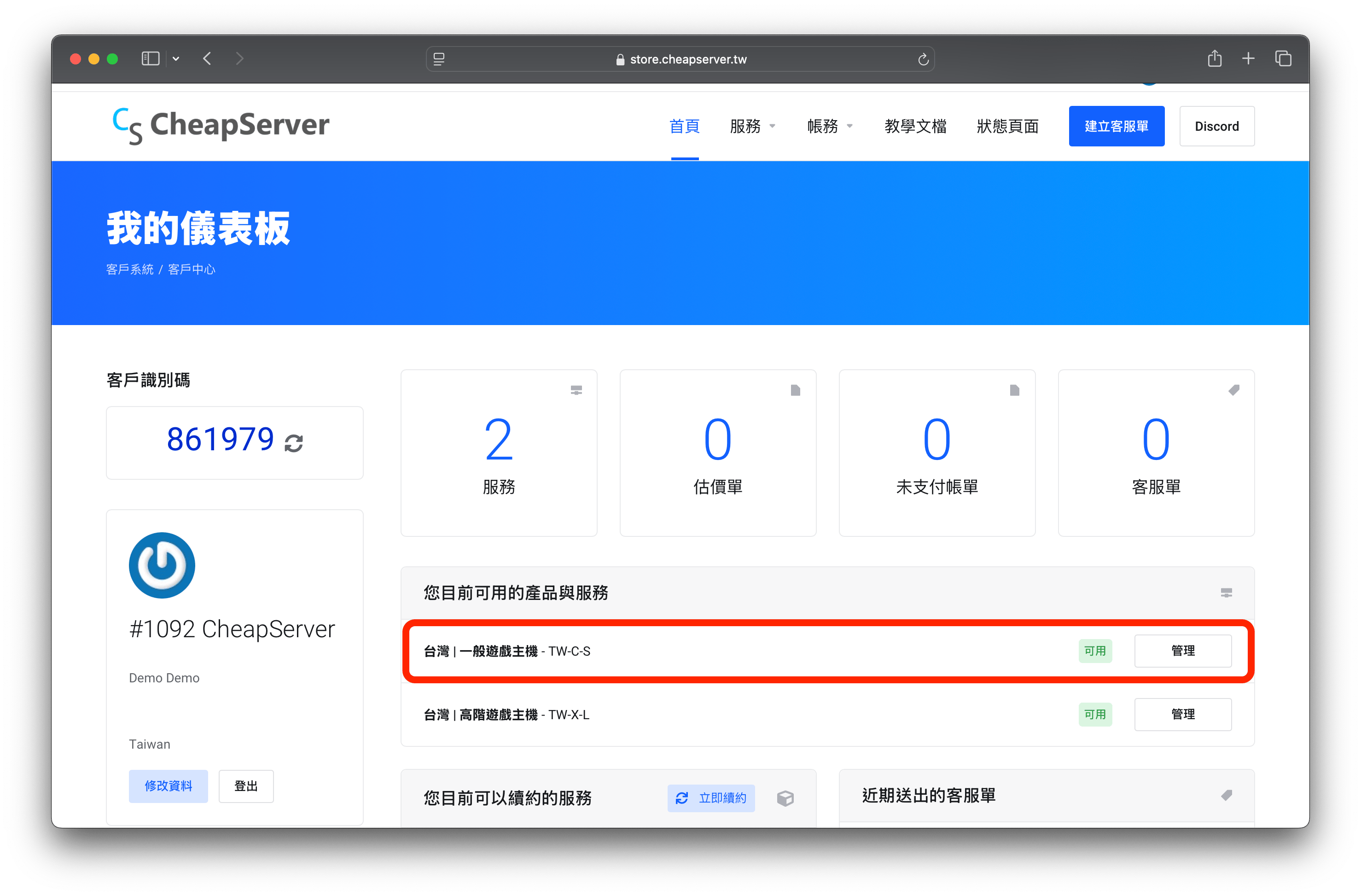
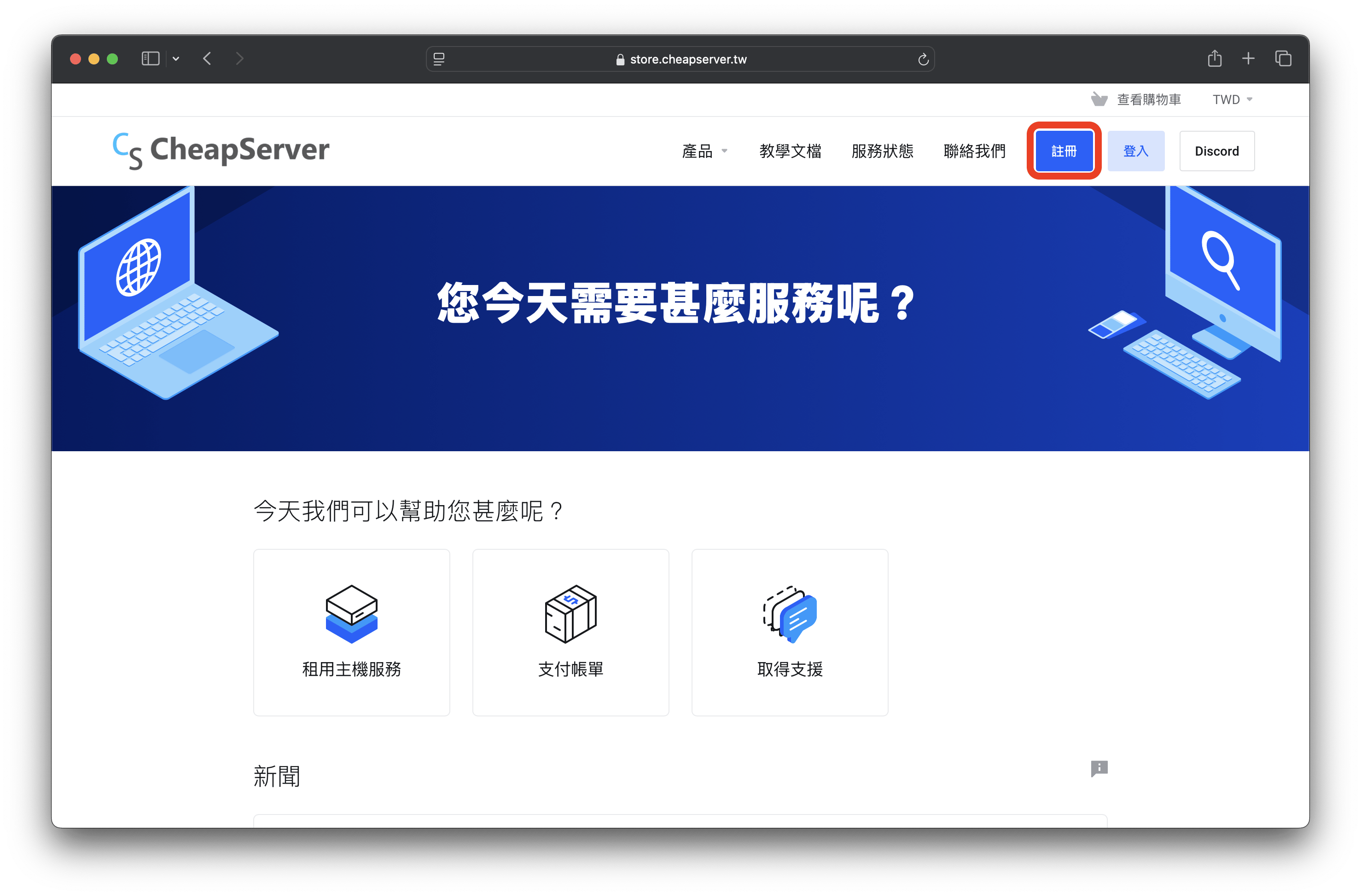
1. 登入客戶中心

<figure><img src="/files/BUlFVcSVYl4CIEEz5FvO" alt=""><figcaption></figcaption></figure>

2. 在首頁 「**您目前可用的產品與服務」** 區域選擇要升級的方案。

<figure><img src="/files/7mINXOIbAfIAsTtCiO5T" alt=""><figcaption></figcaption></figure>

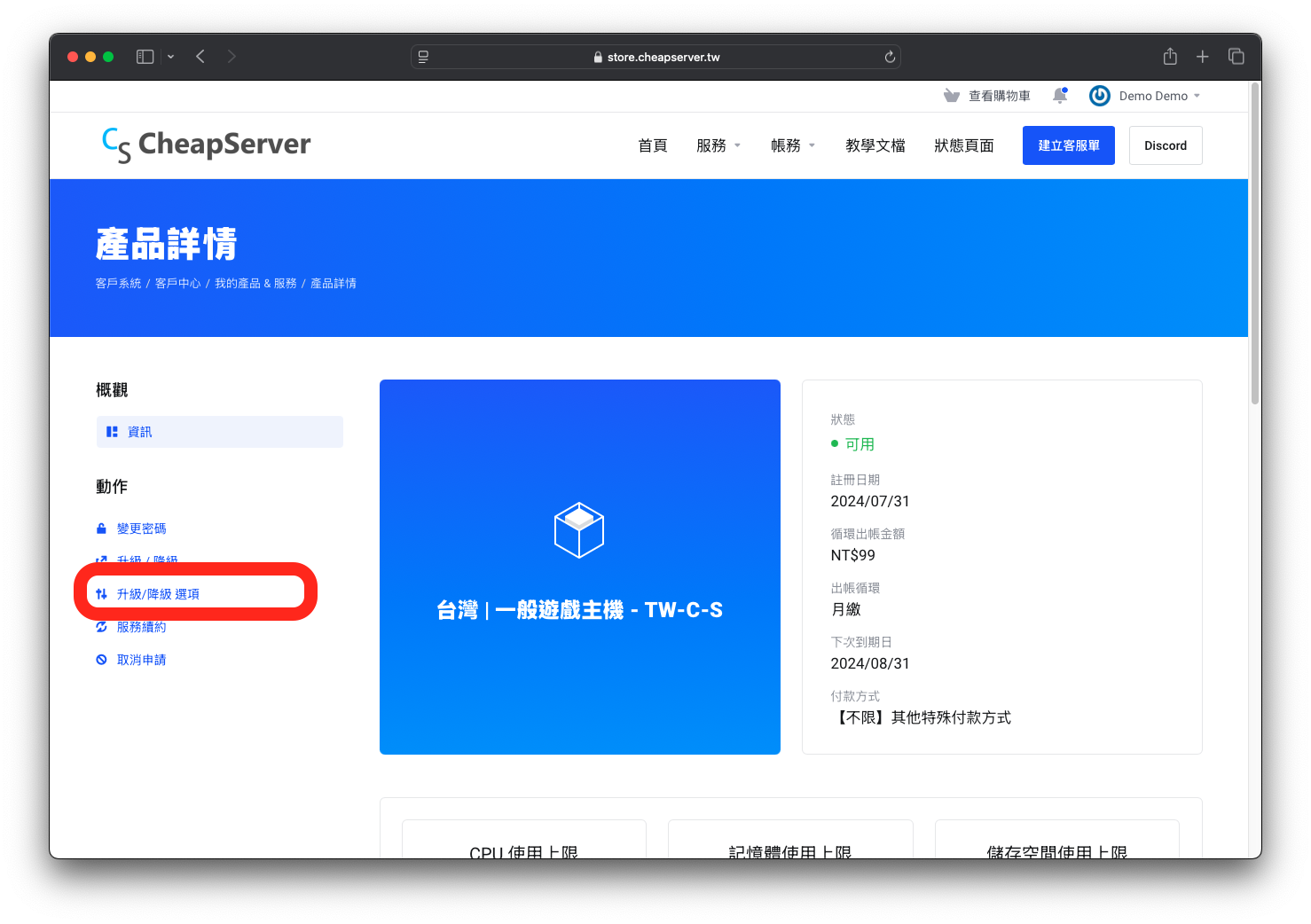
3. 在左側的動作找到 「升級/降級 選項」 並進入 。

<figure><img src="/files/BcL4NUFqWElAYYin1Xjt" alt=""><figcaption></figcaption></figure>

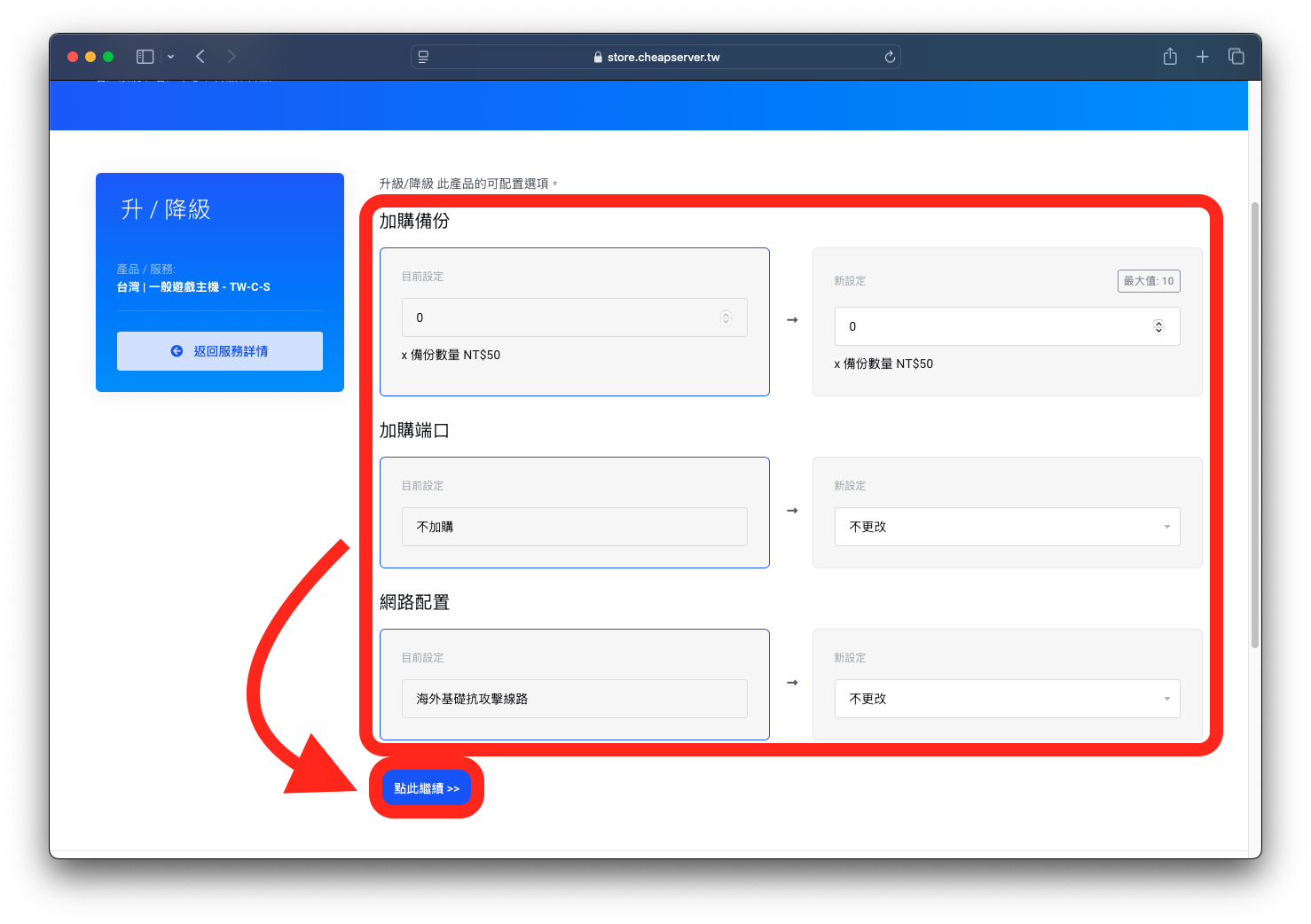
4. 進入頁面後，你就會看到你可以調整升級的選項。選擇好後，點擊 「點此繼續 >>」 按鈕。

<figure><img src="/files/a8o79qgkXkDSpWhMYeid" alt=""><figcaption></figcaption></figure>

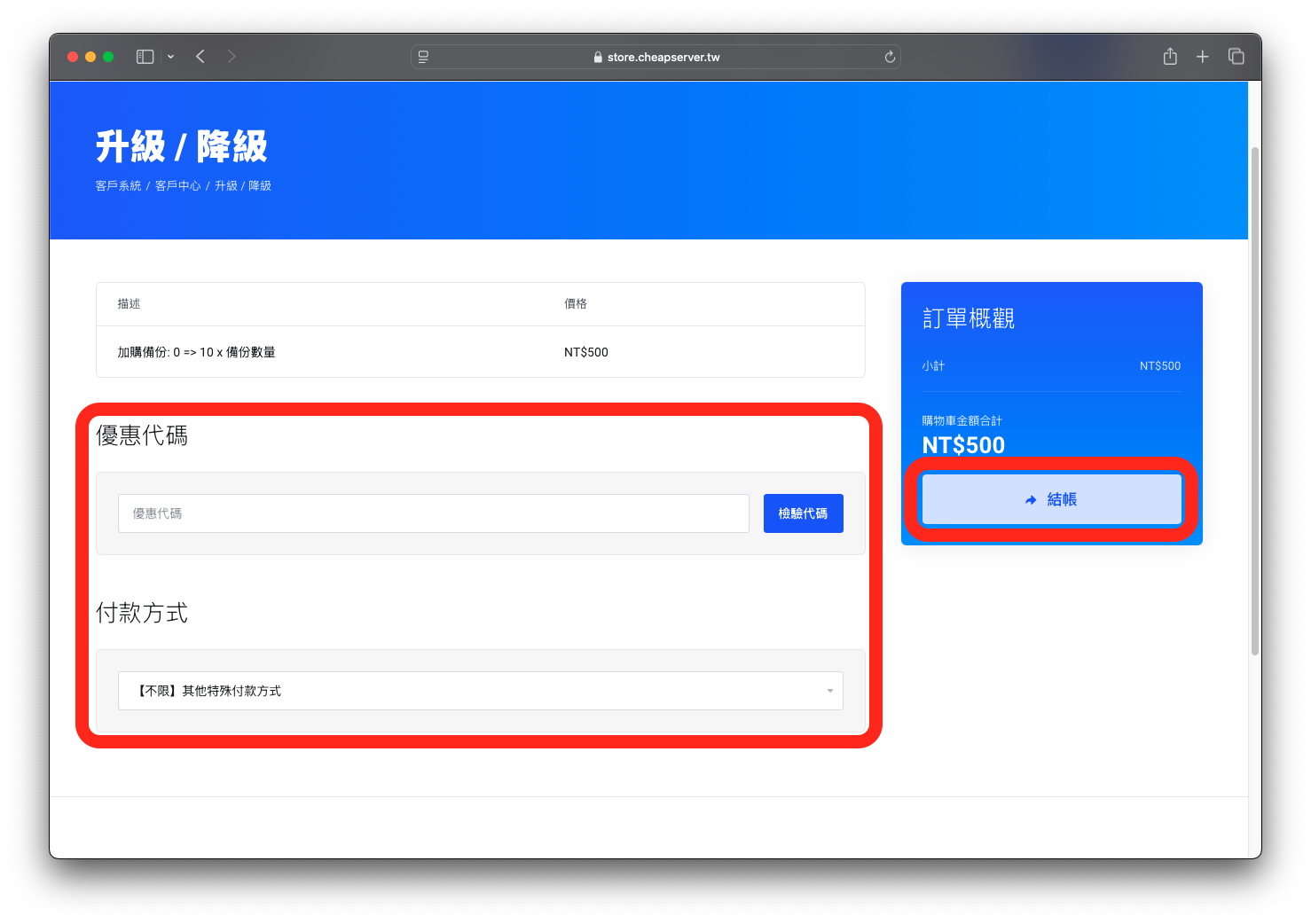
5. 確認付款金額與付款方式。如果你有優惠代碼，則可以在欄位內填入。最後點擊 「結帳」。

<figure><img src="/files/QyTGovXiuXuMfnyad7RP" alt=""><figcaption></figcaption></figure>

6. 如果你有剩餘的帳號餘額，可以使用並立即完成訂單；則系統將會導向到帳單頁面付款。
7. 付款完成後將收到 Email 通知！（目前遊戲主機為自動完成升級）